DevOps实战之部署GitLab

目标

  1. 搭建Redis服务
  2. 搭建PostgreSQL服务
  3. 搭建Gitlab服务并配置LDAP登录

环境及镜像版本说明

基础环境

  • CentOS 7.6
  • Kubernetes 1.18.15
  • Docker 19.03.9

    Docker Image版本

  • postgres:13.2
  • redis:6.2.3
  • gitlab/gitlab-ce:13.11.4-ce.0

镜像说明:因之前部署了sonarqube,使用了postgres,所以此处使用的镜像版本,与部署Sonar的相同,网上帖子中,普遍使用的gitlab、redis、postgresql均为samessrsbn的版本,我均选择了各组件的官方镜像。此处也可以复用sonar已经部署的postgres,而不用另外创建。

部署

官方部署方式

官方文档推荐使用Helm安装部署,但会安装很多如Grafana、Prometheus等附加组件。

自定义资源清单

只部署了postgres、redis和gitlab,其他组件,有需要时,可自定义清单文件进行配置。其中部署gitlab时,需要手动创建共享存储挂载卷目录/usr/nfs/data/gitlab/data/usr/nfs/data/gitlab/config/usr/nfs/data/gitlab/log

gitlab资源清单

配置LDAP

修改配置文件gitlab.rb,容器内路径为/etc/gitlab,容器外为nfs对应目录。修改后,重启pod或在容器内执行gitlab-ctl reconfigure。此处提供两种配置方式,两种仅格式不同,第一种为官方示例格式:

1
2
3
4
5
6
7
8
9
10
11
12
13
14
15
16
17
18
19
20
21
22
23
24
25
26
27
28
29
30
31
32
33
34
35
36
37
38
39
40
41
42
43
gitlab_rails['ldap_enabled'] = true
gitlab_rails['prevent_ldap_sign_in'] = false

gitlab_rails['ldap_servers'] = {
'main' => {
'label' => 'LDAP',
'host' => '10.0.38.82',
'port' => 30423,
'uid' => 'cn',
'encryption' => 'plain',
'verify_certificates' => true,
'bind_dn' => 'cn=admin,dc=example,dc=org',
'password' => 'admin',
'verify_certificates' => true,
'tls_options' => {
'ca_file' => '',
'ssl_version' => '',
'ciphers' => '',
'cert' => '',
'key' => ''
},
'timeout' => 10,
'active_directory' => true,
'allow_username_or_email_login' => false,
'block_auto_created_users' => false,
'base' => 'dc=example,dc=com',
'user_filter' => '',
'attributes' => {
'username' => ['uid', 'userid', 'sAMAccountName'],
'email' => ['mail', 'email', 'userPrincipalName'],
'name' => 'cn',
'first_name' => 'givenName',
'last_name' => 'sn'
},
'lowercase_usernames' => false,
# EE Only
'group_base' => '',
'admin_group' => '',
'external_groups' => [],
'sync_ssh_keys' => false
}
}

1
2
3
4
5
6
7
8
9
10
11
12
13
14
15
16
17
18
19
20
21
22
23
24
25
26
27
28
29
30
31
32
## LDAP Settings
##! Docs: https://docs.gitlab.com/omnibus/settings/ldap.html
##! **Be careful not to break the indentation in the ldap_servers block. It is
##! in yaml format and the spaces must be retained. Using tabs will not work.**

gitlab_rails['ldap_enabled'] = true
gitlab_rails['prevent_ldap_sign_in'] = false

##! **remember to close this block with 'EOS' below**
gitlab_rails['ldap_servers'] = YAML.load <<-'EOS'
main: # 'main' is the GitLab 'provider ID' of this LDAP server
label: 'LDAP'
host: '10.0.38.82'
port: 30423
uid: 'cn'
bind_dn: 'cn=admin,dc=example,dc=org'
password: 'admin'
encryption: 'plain' # "start_tls" or "simple_tls" or "plain"
verify_certificates: true
smartcard_auth: false
active_directory: true
allow_username_or_email_login: false
lowercase_usernames: false
block_auto_created_users: false
base: 'dc=example,dc=org'
user_filter: ''
## EE only
group_base: ''
admin_group: ''
sync_ssh_keys: false
EOS

访问

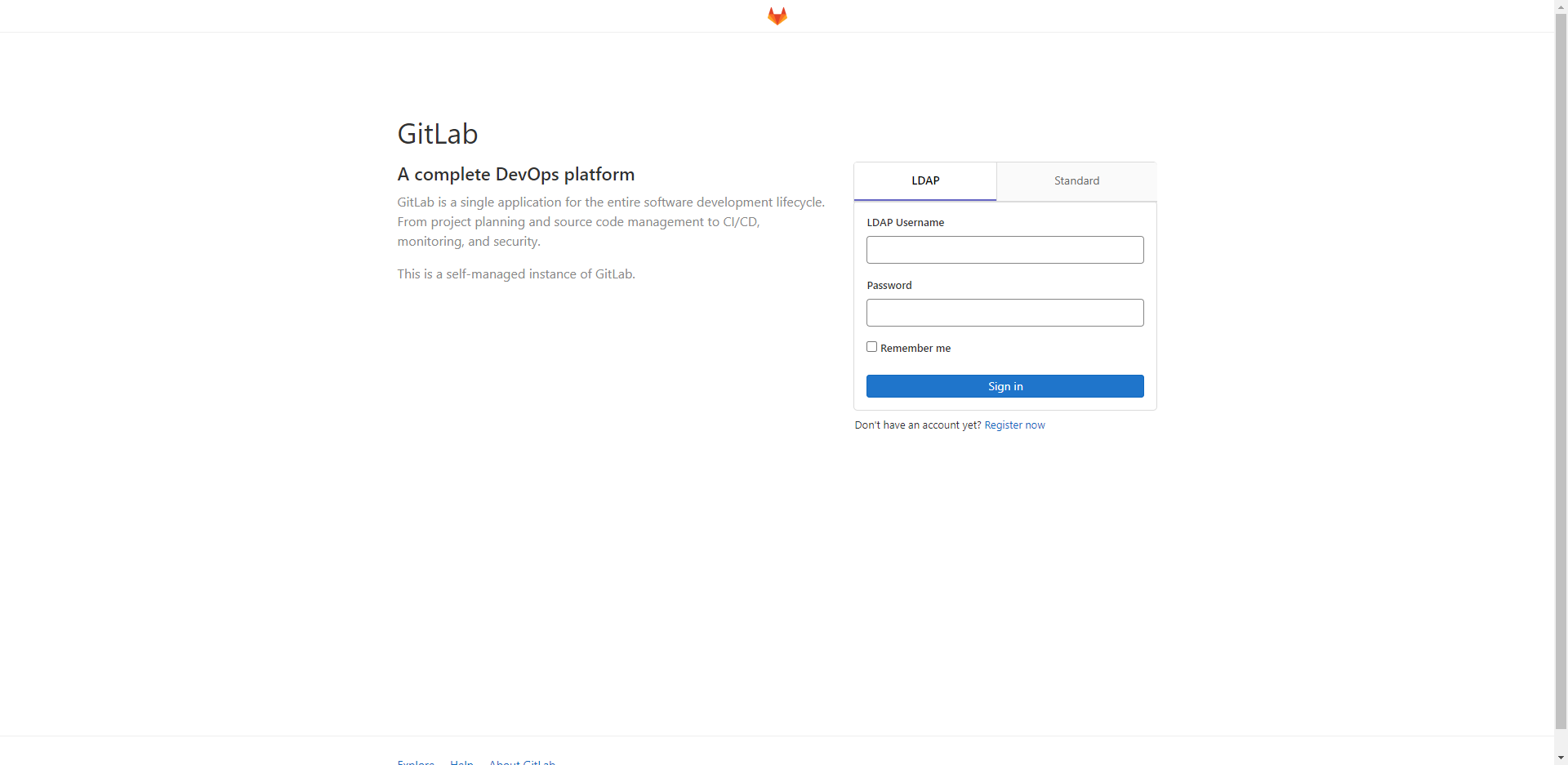
访问页面,认证窗口处,显示LDAP和Standard两种登录认证方式。
1